


ENAIRE · PLANEA
Coordination with ENAIRE
PLANEA's UAS activity form, filled in tab by tab, with the area drawn on its map. It stops just before “Enviar”.

 Chrome extension
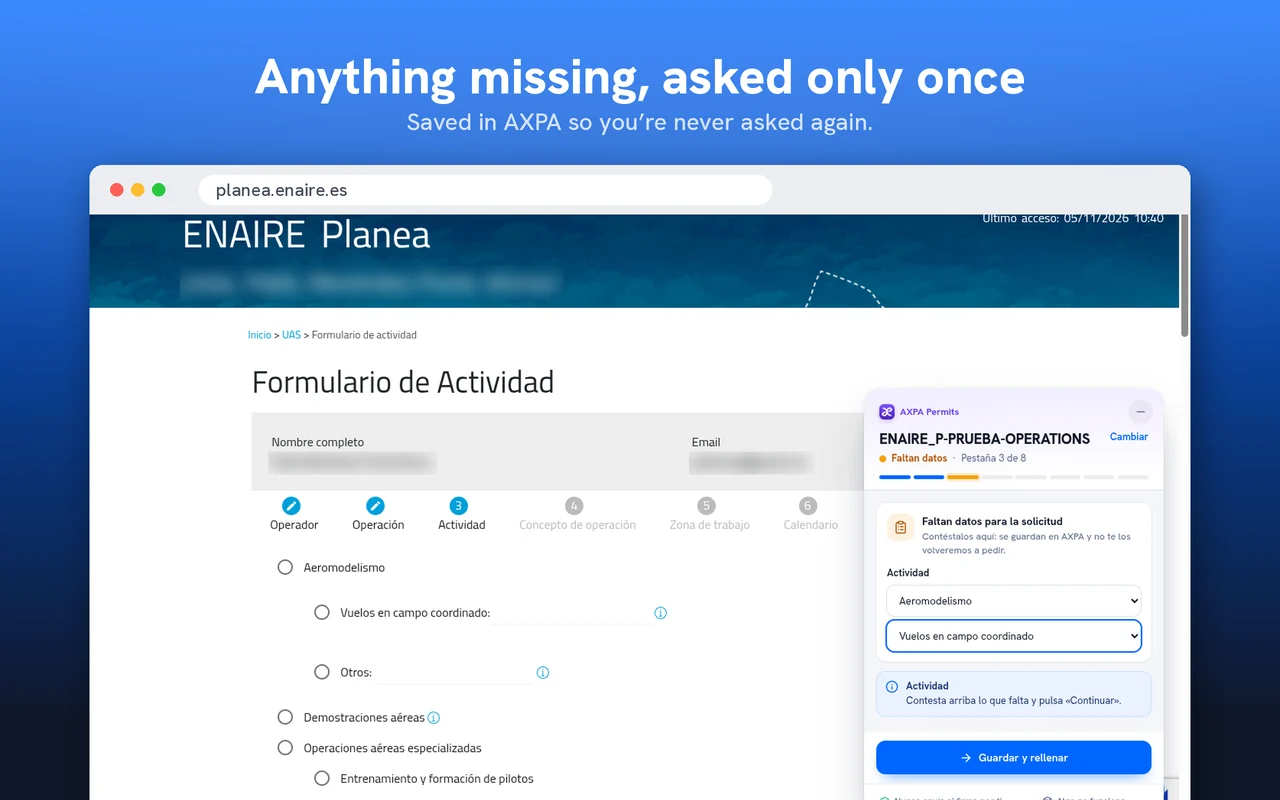
Press “Present” in your AXPA file and the extension opens the official portal, reaches the form and fills it in with your data. Anything missing, it asks for once. It never submits or signs on your behalf.
Free on the Chrome Web Store. Works with your AXPA account on the Pro and Enterprise plans.
Works today on
A façade inspection at the Guggenheim in Bilbao. It's planned in AXPA Planner, and AXPA Permits takes it all the way to the official portal, ready to submit.
Videos in Spanish
ENAIRE · PLANEA
PLANEA's UAS activity form, filled in tab by tab, with the area drawn on its map. It stops just before “Enviar”.
Ministry of the Interior
The urban flight notice. You sign in with your certificate and the extension fills in the rest. It stops just before “Firmar y presentar”.
It never submits or signs for you
It doesn't press “Submit”, doesn't tick the responsible declaration and doesn't sign. The request is yours.
You sign in, as always
With your username, your certificate or Cl@ve. The extension never touches your credentials.
You review everything first
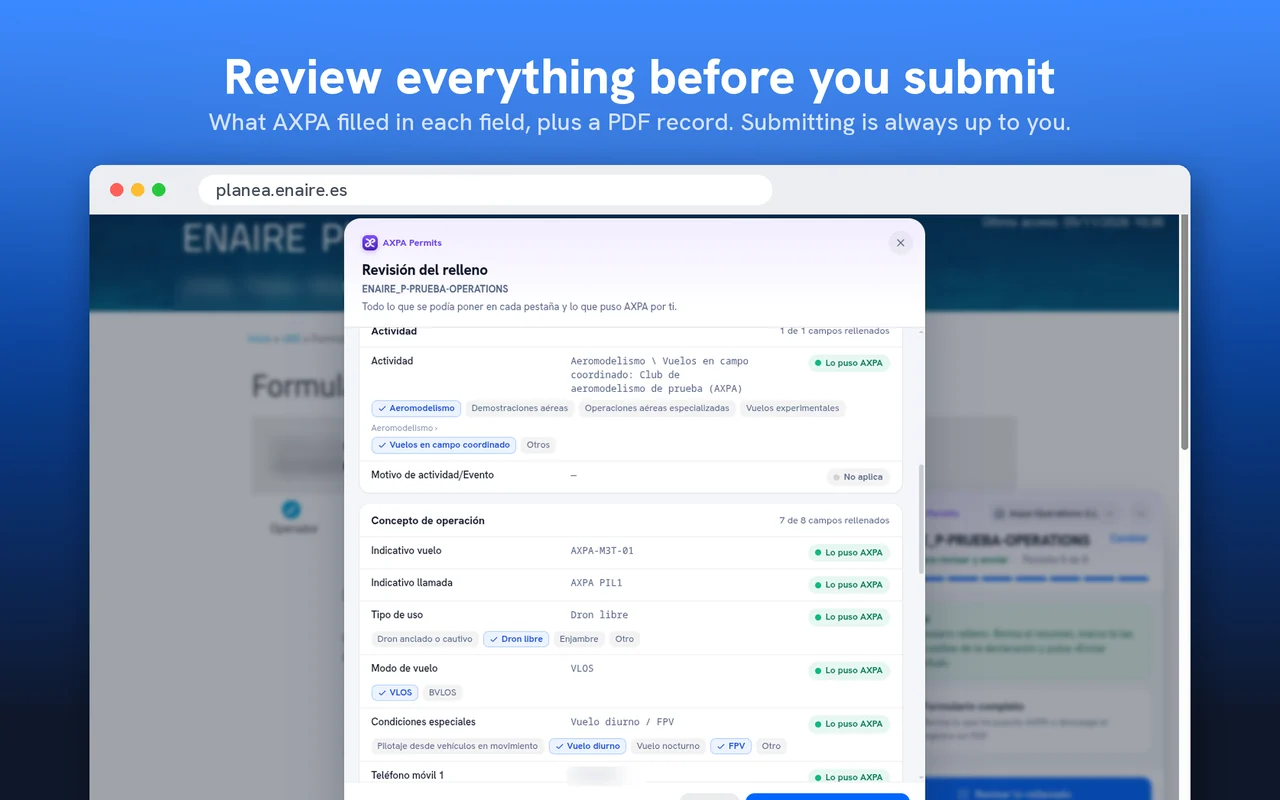
It shows you what it put in each field and leaves a PDF record in your file.
What you would do, field by field, without typing anything twice.
It writes in each field what AXPA already knows about your operation, organisation, pilot and drone.
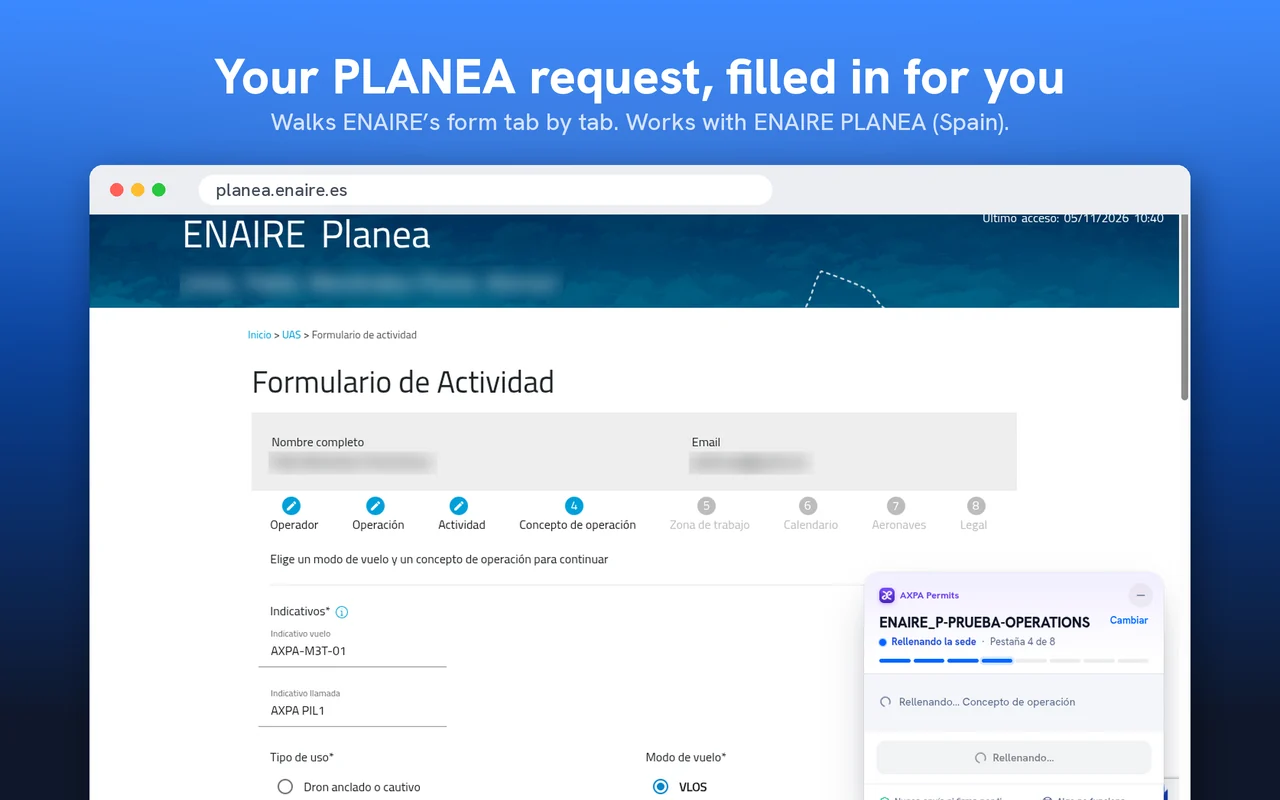
If the portal needs something AXPA doesn't have, it asks in its own panel and saves it where it belongs.
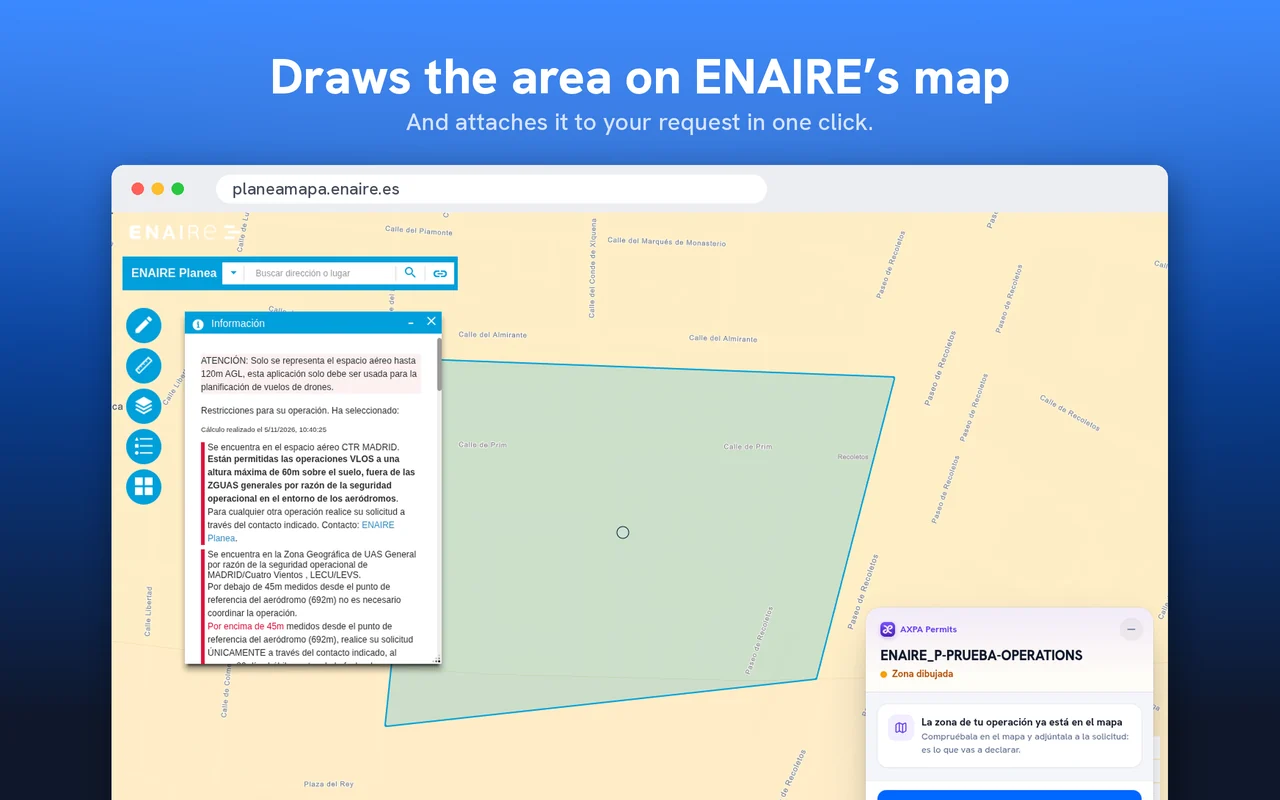
Your operation area appears on the official map without tracing it point by point.
The urban flight notice, filled in completely: operator, activity, pilot and aircraft.
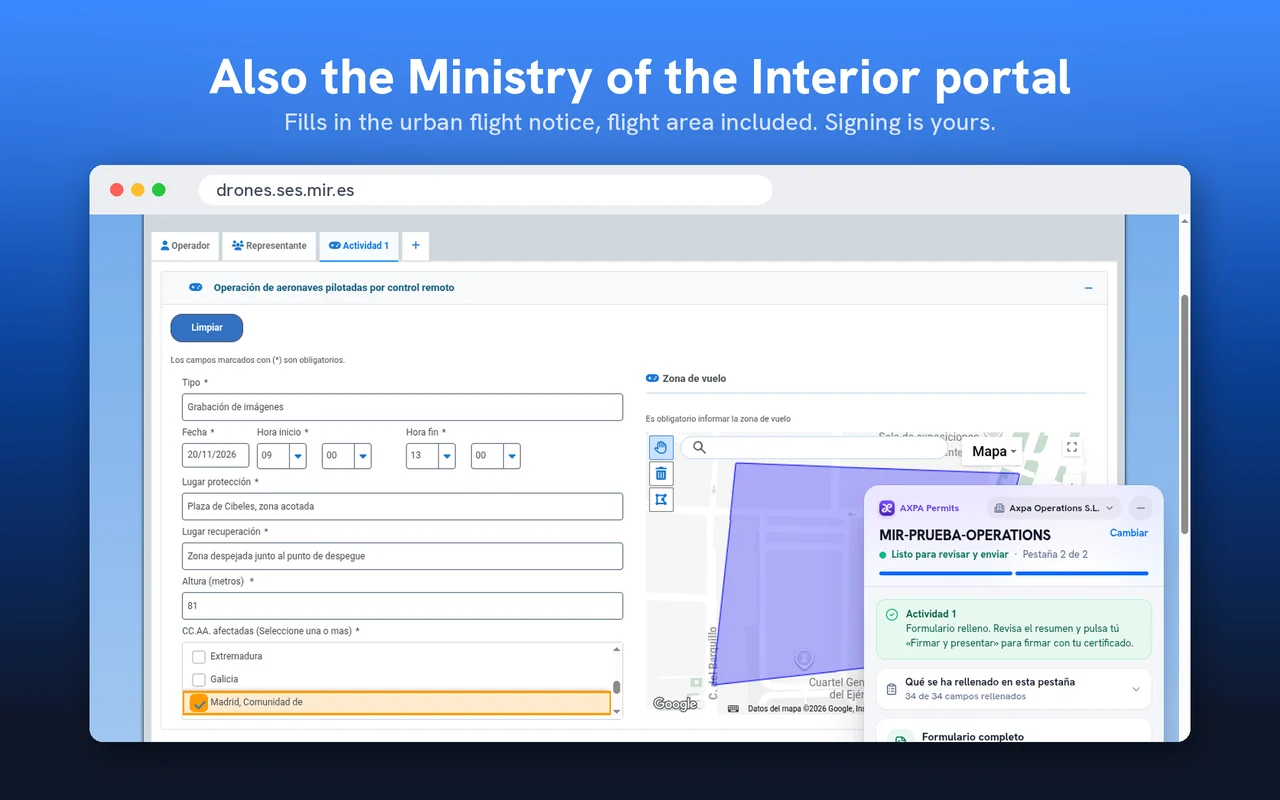
At the end it shows what it filled in each field and which options there were, and gives you a PDF record.
We'd rather tell you exactly where it works before you install it.
Works today
ENAIRE PLANEA (Spain)
UAS activity form: coordinating your operation with ENAIRE, with the area drawn on its map.
Available
Ministry of the Interior portal (Spain)
Urban flight notice, with the operator, activity, pilot and aircraft.
Available
If you fly outside Spain, the extension doesn't fill in your country's portals yet.
What's next
AXPA Permits is built for any official portal, not just two. We keep adding automated procedures and countries all the time.
Nothing to configure.
Plans
The extension is free to install. To fill in your procedures, your organization needs the Pro or Enterprise plan.
The Pro trial starts when you subscribe, and you can cancel before the 14 days are up without paying anything.
Today, Spain: ENAIRE PLANEA and the Ministry of the Interior portal. We keep adding portals and countries, and this page always shows which ones work.
No. It never presses “Submit” or “Firmar y presentar”, never ticks the responsible declaration and never signs. The request is yours: you review and submit it.
The Ministry of the Interior portal asks you to sign in with a certificate or Cl@ve, as always. The extension never touches your certificate: you sign in and it fills in afterwards. If the certificate belongs to another company, it warns you and stops.
It asks in its panel and saves it in AXPA where it belongs, so it won't ask again.
It writes on the portal the data of your file that AXPA sends it. In the browser it only keeps your account access key and what happened to each field, without the values. Details are in the privacy policy.
Chrome and Chromium-based browsers such as Edge, Brave or Opera, on desktop.
The extension is free to install and works with your organization's Pro or Enterprise plan. You can try Pro for free before deciding.